・VNC接続をするユーザ:sshuser
SSHポートフォワーディングを利用して接続するので、SSH接続しているユーザと同じにしています。
・ディスプレイ番号:1
・ポート:5901(5900+ディスプレイ番号)/TCP SSHポートフォワーディングを利用して接続するので、5901のポートを開放する必要はありません。
TigerVNC Server インストール。
~]# dnf install tigervnc-server
ディスプレイ番号とユーザの定義を追記。
~]# vi /etc/tigervnc/vncserver.users
# TigerVNC User assignment # # This file assigns users to specific VNC display numbers. # The syntax is =. E.g.: # # :2=andrew # :3=lisa :1=sshuser
自動起動設定+起動。
~]# systemctl enable --now vncserver@:1.service
デスクトップ環境のインストール。(Xfce)
~]# dnf --enablerepo=epel,epel-next group install "Xfce" "base-x"
日本語対応。
~]# dnf --enablerepo=epel,epel-next install vlgothic-* ~]# dnf groupinstall "Input Methods"
Chrome をインストール。
google-chrome.repo を作成。
~]# vi /etc/yum.repos.d/google-chrome.repo
[google-chrome] name=google-chrome baseurl=http://dl.google.com/linux/chrome/rpm/stable/$basearch enabled=1 gpgcheck=1 gpgkey=https://dl-ssl.google.com/linux/linux_signing_key.pub
インストール。
~]# dnf install google-chrome-stable
あと、テキストエディタはあった方が良いかな。
~]# dnf install gedit
sshuser での設定。
VNC用パスワードを設定。入力。
~]$ vncpasswd Password: Verify: Would you like to enter a view-only password (y/n)? n A view-only password is not used
オプションを設定。(~/.vnc/config ファイルを新規作成)
「localhost」(VNCクライアントが安全なトンネル経由で接続するとき以外は接続できなくなる)と「nolisten=tcp」(VNCサーバーがTCP経由でのX接続を受け付けないようにする)を設定しています。
~]$ vi ~/.vnc/config
session=xfce4 securitytypes=vncauth,tlsvnc geometry=800x600 localhost nolisten=tcp
設定反映。
~]# systemctl daemon-reload ~]# systemctl restart vncserver@:1.service
ローカルに TigerVNC(vncviewer)をインストール。
~]$ sudo dnf install tigervnc
SSHポートフォワーディングを利用して接続。
~]$ ssh -v -C -L 50000:localhost:5901 xxx.xxx.xxx.xxx -l sshuser
50000:任意のローカルホストポート
5901:リモートホストポート
xxx.xxx.xxx.xxx:リモートホスト IP アドレス
上記 SSH 接続を維持したまま、VNC Viewer で接続するので、新たな端末(ターミナル)の画面で VNC Viewer を起動。
~]$ vncviewer
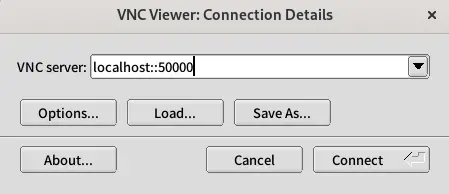
VNC server 欄に「localhost::50000」と入力。
上記 SSH 接続をした際に決めた任意のローカルホストポートを指定します。(localhost と 50000 の間のコロンは二つです)
そして、「Connect」。
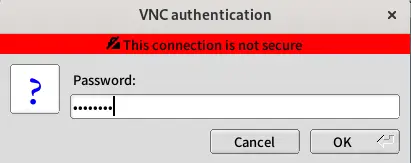
Password 欄に vncpasswd で設定したVNC用パスワードを入力。
そして、「OK」。
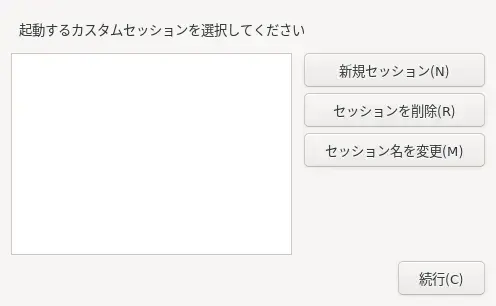
「新規セッション(N)」で「続行(C)」としました。
カーソルが見えなかったですが、選択されているかどうかは判別できました。カーソルで探るか、「Tabキー」で移動。
少し待つと以下の画面が現れます。
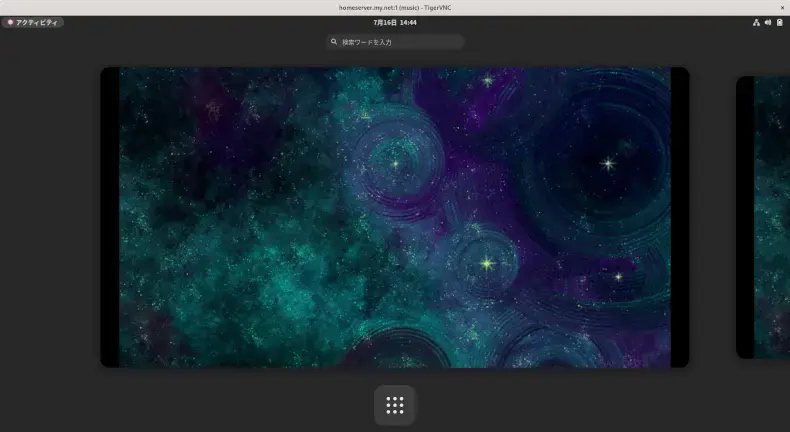
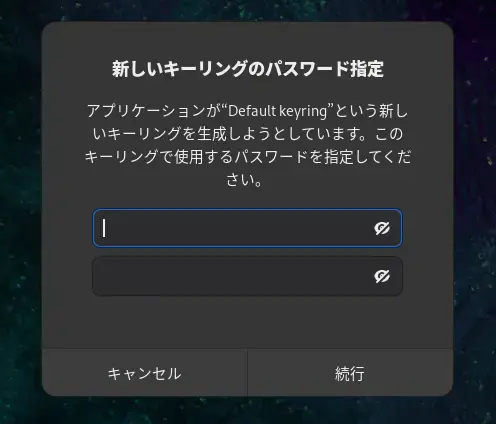
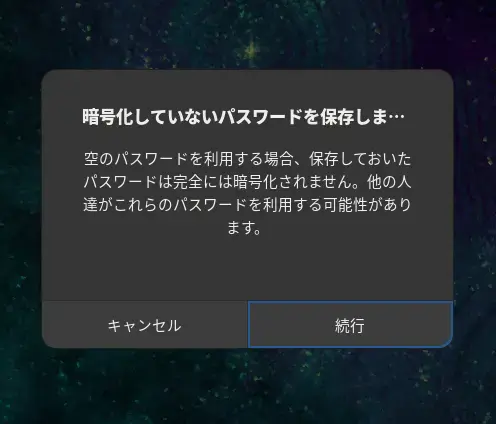
Chrome を起動すると「新しいキーリングのパスワード指定」が出ますが、空白で続行しました。
次回からは表示されません。
「日本語(Anthy)」追加後、反映に systemctl restart vncserver@:1.service が必要でした 。
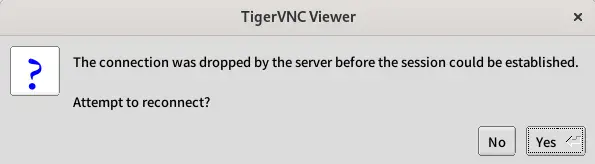
また、リモート画面でログアウトすると、次回 vncviewer で接続時に以下エラーが出ます。
これも、systemctl restart vncserver@:1.service が必要でした 。右上の「×」で画面を閉じればエラーは出ません。